
TL;DR
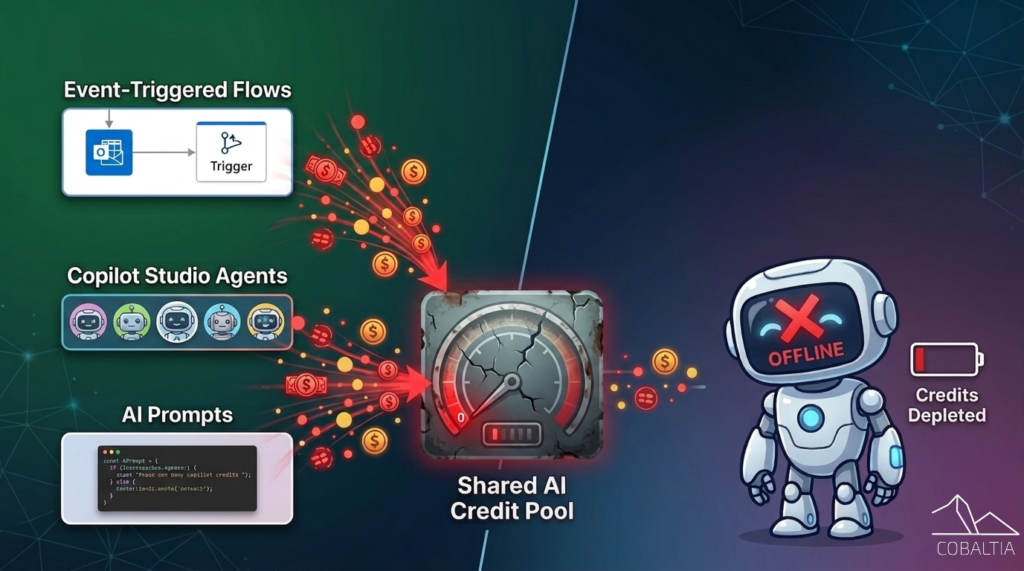
- Every AI tool in Power Platform, Copilot Studio agents, AI Prompts in flows, Dataverse Prompt Columns, draws from the same shared credit budget.
- When credits run out: Copilot agents fail with error “There is a billing issue.” or This agent is currently unavailable. It has reached its usage limit.”
- Biggest drains: event-triggered flows with AI Prompts. Example: email flow on 167 emails/day = ~5000k runs/month = ~25k credits at 5 credits/run = An entire pre-paid package gone.
- PAYG has no Azure hard cap. Meter keeps running until you intervene.
Intro
Most companies are either already using AI tools in Power Platform or actively planning to. From simple AI Prompts in a flow to fully autonomous Agents in Copilot Studio, adoption is accelerating. What many teams don’t realize is that all of these tools have one thing in common: they run on Credits, currently called Copilot Studio Credits.
Microsoft has been simplifying the licensing model, and the direction is clear: every AI operation that calls a model costs credits. That simplicity is welcome. The complexity creeps in when multiple tools, environments, and makers start sharing the same pool without knowing it. Without the right guardrails, what starts as a useful automation can quietly become a very expensive one.
Credit pool and consumption
When a tenant buys a prepaid credit package, those credits sit at tenant level. Any environment with “Draw from tenant” enabled can pull from that pool freely.
Risk: a dev environment’s rogue flow drains credits meant for production agents.
Example: 167 emails/day → AI Prompt flow with no trigger condition → 5000 runs/month → ~25,000 credits consumed (5 credits/run estimate).
The second risk is at environment level, where AI tools consume from credits assigned directly to that environment and/or from a PAYG billing plan. Multiple solutions sharing one environment means they all compete for the same budget. PAYG removes the ceiling entirely.
Makers need to be careful about what they connect AI tools to. A single automation can drain a prepaid package or generate an unexpected Azure charge.
Most common overconsumption patterns:
- Power Automate flows using AI Prompts without trigger conditions: email received, SharePoint item modified, Dataverse record created
- Copilot Studio autonomous agents without trigger condition scoping
- Prompt Columns on transactional tables with high create/update volume
No single setting blocks these, but layered controls work.
| Tool/Feature | Trigger | Risk level |
|---|---|---|
| Dataverse Prompt Column | Record create / update | Medium |
| AI Prompt in Power Automate | Flow execution | High |
| Copilot Studio agent | Conversation turn | High |
What can I do as a Power Platform Admin?
- Segregate environments by use case. Avoid production agents competing with PoCs/tests.
- Enable PAYG only on environments that genuinely need it. Non-critical environments don’t need unlimited credits.
- Allocate credits per environment and disable “Draw from tenant.” Prevents silent overdrawing.
- Audit flows for AI Prompt actions on high-frequency triggers. Monitor in Copilot Studio Credits consumption reports: PPAC → Licensing → Copilot Studio → Environments.
- Disable AI Prompts feature toggle where generative AI isn’t needed, blocks Prompt Columns + AI Prompt actions.
- PAYG environments: Azure Cost Management budget alerts scoped to Power Platform billing plan resource.
What can I do as a Power Platform Maker?
- Scheduled flows for enrichment, not event triggers. Predictable consumption.
- Trigger conditions on event flows/agents. Scope to specific conditions (field values, email subjects).
- Test with real volumes pre-prod.